The Sharing block allows users to share Fundraisers, Team pages, and Personal pages across a variety of social media platforms. This also allows users to send pre-written email and SMS messages, as well as generate unique QR codes for Fundraisers, Team pages and Personal pages.

Fundraiser owners can determine which of the above-mentioned options are shown using the Design your fundraiser functionality - to edit the Sharing block, follow these steps:
-
Go to your CrowdChange page and Log in
-
Once on the fundraiser you would like to edit, click Manage fundraiser
-
Once on the Fundraiser dashboard, click Design your fundraiser
-
Hover over the Sharing block and click Edit
-
On the right sidebar that appears, scroll down and expand the Layout section
-
Here you can decide what is shown in your Sharing block
-
At the bottom of the sidebar, click Save to confirm and publish your changes
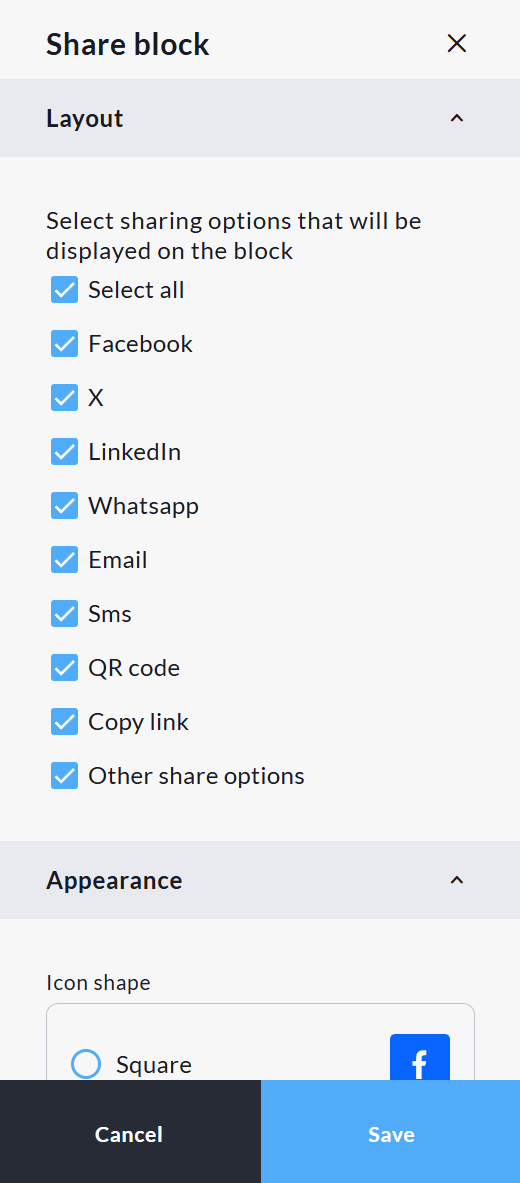
You can also decide how these icons are displayed, as well as the text shown on the Sharing block, as well as background settings.
The Sharing block allows users to share using the following social media platforms:
-
Facebook
-
X (formerly Twitter)
-
LinkedIn
-
WhatsApp
If these options are selected, users will be prompted to either use a pre-written sharing message, which can be copied and pasted, or to write their own message. Once this is decided, the user will be taken directly to the social media platform selected. Please note that without an account on the social media platform in question, posts cannot be shared.
The SMS and Email functionality within the Sharing block allows users to send text messages and emails directly from CrowdChange, with no requirement to log in to their email account or link a phone number to the platform. These messages are templated, and are not editable by the users.
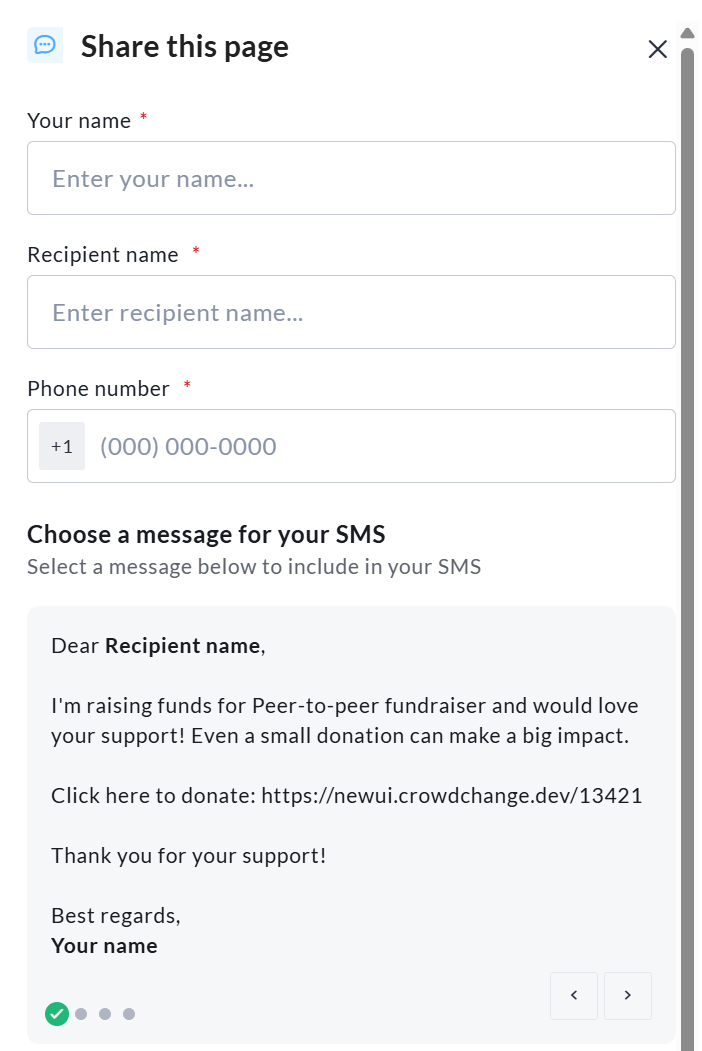
At this time these messages are predetermined by CrowdChange and are not adjustable. For more detailed email messages, please use the Mailing List function